Receipt OCR for receipts and invoices, offline
Turn scanned receipts and invoices into searchable PDFs on Windows or Linux, with every doubtful amount flagged for you to check.
Published
Receipt OCR reads the shop, the items and the total off a scanned receipt or invoice so you can search for them later. Inklight does this on your own computer, on Windows and Linux. Each receipt becomes a searchable PDF, and the amounts it is unsure about are outlined so you can compare them with the paper before you file the receipt or pass it on.
Nothing is uploaded. The receipts stay on your machine, and there is no account to create.
How it works in Inklight
Scan the receipts or photograph them, then drop the files onto the Inklight window: PDF, JPEG, PNG, HEIC and the other image formats a phone or scanner writes. Each file becomes a Job in the Processing Queue. When it is done, a searchable PDF appears beside the original, named receipt_ocr.pdf for receipt.png.
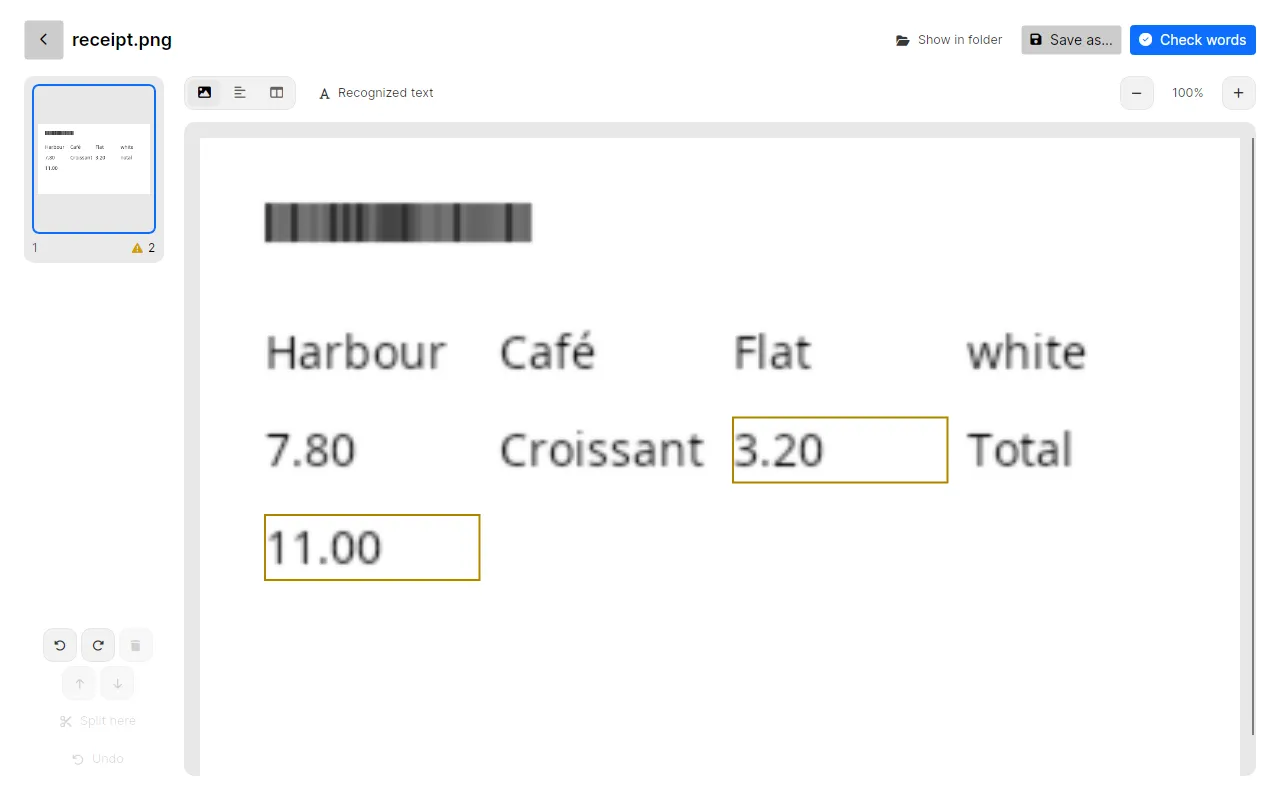
Then click Check words. The Check pass shows the words Inklight is unsure about, worst first. Numbers weigh more than ordinary words, because a misread digit in a total looks as plausible as the right one. Each one is shown cut from the scan, with the line around it, so you compare the printed total with what was read.
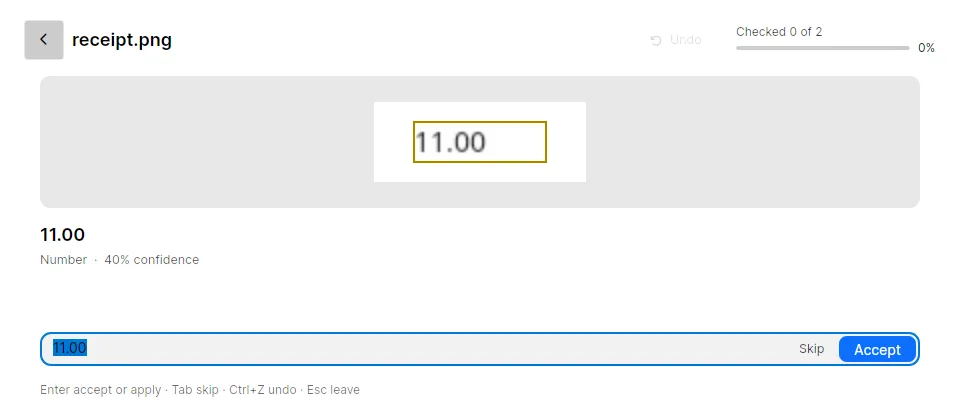
Press Enter to confirm a word, or type the right value and press Enter. The searchable PDF is written again with your correction. On the detail page, Ctrl+C copies the page’s whole text, for example to paste an invoice’s line items into an email.
What you get
- A searchable PDF per receipt (every plan). Search a folder for a shop name or an amount and the receipt turns up. Free writes a small footer on every page; Personal and Business write clean files.
- Amounts checked against the scan (every plan). Numbers, words below the confidence threshold and IBANs with a failing checksum come first. See how to check and fix OCR errors for the full Check pass.
- An Excel workbook from invoice tables (Personal). With a layout-aware preset, every table Inklight recognizes on an invoice becomes its own worksheet, the line items and totals in the cells where the table had them. Every cell is text, so convert a column to numbers before you add it up. Scanned PDF to Excel shows the workbook.
- Many receipts at once (every plan). Drop a whole folder of receipts; the queue works through them in the background.
- Receipts from a scanner folder (Business). A hot folder recognizes every receipt a scanner saves into it, while Inklight runs in the tray. Hot folder Jobs are convert-only: they skip the Check pass.
Limits
- Printed receipts only. Handwritten notes on a receipt are not recognized.
- Latin-script documents. English, German, French, Spanish, Italian and Dutch are the tested languages.
- Inklight does not pull fields such as vendor, date or VAT into an accounting system. It gives you a searchable PDF, checked amounts and, on Personal, the tables as a workbook.
- Faded thermal paper reads badly in any OCR program. Scan receipts before they fade, at 300 dpi or more.
Related guides
Bank statements raise the same question about amounts, plus IBANs. See bank statement OCR. If your receipts end up in Paperless-ngx, Paperless-ngx OCR puts Inklight in front of its consume folder. For other tools, read the best OCR software for searchable PDFs.